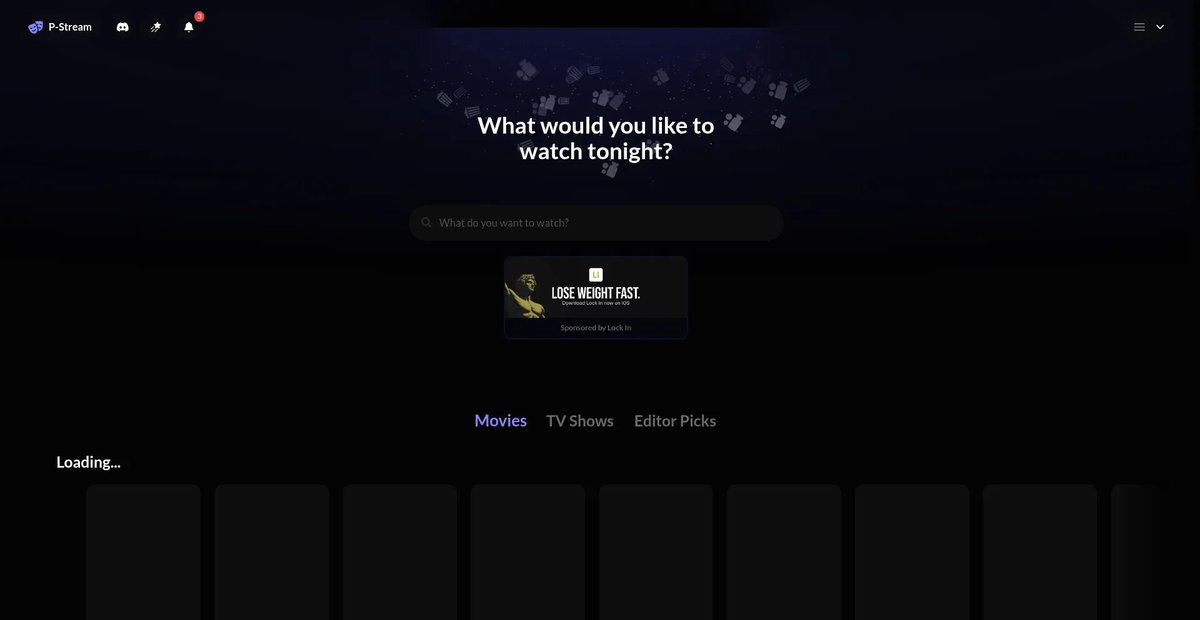
In an era dominated by sprawling streaming giants, the idea of truly owning your media experience often feels like a distant dream. Yet, a quiet revolution is underway for those who crave control, customization, and a personalized approach to their digital libraries. This is where pstream.mov enters the picture, not as a typical video file format, but as a conceptual gateway to a powerful self-hosted streaming platform: P-Stream. It’s about more than just watching; it’s about crafting your own streaming ecosystem, tailored precisely to your needs and shared on your terms.
Forget the black boxes and subscription hurdles. P-Stream empowers you to host your own movies, TV shows, and videos, turning your personal collection into a private, high-performance streaming service. Whether you're a tech enthusiast eager to tinker, a family wanting a unified media hub, or someone simply seeking an alternative to commercial platforms, understanding pstream.mov means unlocking a new level of media freedom. For those looking to Explore professional streaming tools. Choosing the right platform is crucial, and P-Stream presents a compelling self-hosted option.
Reclaiming Your Stream: The P-Stream Philosophy
At its core, pstream.mov signifies the P-Stream project itself—an open-source initiative designed to bring the power of streaming back into your hands. It’s a philosophy centered on decentralization, performance, and user-centric design. Imagine a platform where you dictate the content, control the access, and ensure the best possible streaming quality without external interference. That's the promise of P-Stream.
This isn't just for developers; it's for anyone who values a curated experience. P-Stream offers the infrastructure to host your entire media library, complete with rich metadata, intuitive browsing, and smooth playback. It's an invitation to build a streaming service that reflects your personal tastes and preferences, free from algorithmic biases or imposed content libraries.
Your Platform, Your Rules: Deploying the P-Stream Client
The first step in taking control is deploying the P-Stream client. While self-hosting might sound daunting, P-Stream offers several accessible methods, catering to various technical comfort levels. The key benefit here is complete ownership: you decide where your platform lives, how it's configured, and who can access it.
Effortless Launch: Cloudflare Pages (Recommended)
For many, Cloudflare Pages stands out as the recommended hosting solution due to its ease of use, global content delivery network (CDN), and free tier. It provides a robust and scalable environment for your P-Stream client.
To get started, simply log into your Cloudflare account, head to the Workers and Pages dashboard, and connect your GitHub repository (after forking the P-Stream project). A few clicks to set your project name, define pnpm build as the build command and dist as the output directory, add environment variables, and you're ready to deploy. It’s a fast track to getting your P-Stream instance up and running, leveraging Cloudflare's powerful infrastructure without the complexity.
Vercel: Streamlined Deployment for Developers
Vercel offers another fantastic option, particularly for those comfortable with Git-based deployments. Like Cloudflare, it simplifies the process of launching web applications.
After signing in with your preferred Git provider (GitHub, GitLab, or Bitbucket), you select your forked P-Stream repository. The main configuration involves setting crucial environment variables like VITE_CORS_PROXY_URL (your proxy URL), VITE_TMDB_READ_API_KEY (for movie/show data), and optionally VITE_BACKEND_URL if you have a self-hosted backend. Vercel handles the rest, providing a polished deployment experience.
Static Web Hosts: Simplicity and Control
For a more hands-on approach, or if you prefer existing static hosting services like GitHub Pages or Netlify, you can opt for a static web host deployment. This method involves a straightforward download and configuration.
You'll download the P-Stream.zip from the latest release, extract its contents, and then open config.js. Here, you'll manually insert your VITE_CORS_PROXY_URL and VITE_TMDB_READ_API_KEY, along with any optional backend URL. Once configured, you simply upload all the extracted files to your chosen static hosting service. This gives you granular control over the client files themselves.
Advanced Control: Docker Compose for Your Home Network
For the truly intrepid, or those with existing home server setups, Docker Compose offers a powerful, albeit more complex, deployment method. While a static site with an Nginx proxy is generally simpler, Docker provides unparalleled control and isolation within your home network. This method typically requires a desktop or single-board computer with at least 4GB of RAM.
You'll create a docker-compose.yaml file, define the movieweb service, point it to the P-Stream GitHub repository, and map the necessary ports (e.g., 80:80). Critically, you'll uncomment and configure environment variables directly within the args section of the Docker file, such as TMDB_READ_API_KEY and CORS_PROXY_URL (note the missing VITE_ prefix for Docker). Once saved, a simple docker compose up --detach command will bring your P-Stream instance to life, accessible at http://localhost or via a static IP address on your network. To update, you'll simply run docker compose up --build --detach. Delving deeper into Video Encoding and Transcoding for your media will ensure it plays perfectly across all your devices, regardless of your deployment method.
Powering Your Stream: Understanding P-Stream's Proxies
Crucial to P-Stream's functionality, especially when accessing content from various sources, is the concept of a proxy. This acts as an intermediary, helping to bypass Cross-Origin Resource Sharing (CORS) restrictions and ensuring smooth data flow. P-Stream offers two primary methods for managing this.
The Self-Hosted Advantage: Reliability and Speed
Self-hosting your proxy is the recommended approach for optimal performance and reliability, especially if you plan to share your P-Stream instance with friends and family. A self-hosted proxy provides faster streaming speeds and significantly reduces buffering, offering a superior viewing experience.
P-Stream provides dedicated guides for setting up your own proxy (with Netlify being a popular and recommended choice). Once deployed, you integrate it by navigating to the "Connections" section in your P-Stream instance's Settings, enabling "Use custom proxy workers," and pasting your deployed proxy URL. If you've self-hosted the client itself, you can even set the VITE_CORS_PROXY_URL environment variable directly during deployment, making your custom proxy the default for all users. Mastering Content Delivery Networks (CDNs) for media streaming is key to delivering your content globally with minimal latency.
Public Proxy: Quick Start, But with Caveats
For those looking for the quickest way to get started, P-Stream offers a public proxy, which is the default on the main website. It's convenient and free, allowing instant access without any additional setup.
However, the public proxy, being a shared resource, often comes with trade-offs. You might experience slower streaming speeds and increased buffering, particularly during peak usage times. Furthermore, self-hosted P-Stream clients do not come with a default proxy pre-configured, requiring manual setup if you choose to rely on a public option.
Beyond the Basics: Enhancing Your P-Stream Ecosystem
Once your P-Stream client is deployed and your proxy is configured, the journey doesn't end. Building a truly robust and enjoyable streaming platform involves considering broader aspects of media management and delivery. This includes how you protect your content and how you choose to make it available.
Understanding Guide to Streaming Security Understand Streaming protocols and implementing best practices is paramount, especially when hosting sensitive or personal content. While P-Stream provides the framework, securing your server and network is your responsibility, safeguarding your data from unauthorized access. Similarly, thinking about Live vs. On-Demand Streaming Strategies can help you decide how to best present your content, whether you're building a vast on-demand library or even considering event-based streams for shared viewing experiences.
Your Streaming Future, Unlocked
The pstream.mov concept represents a powerful shift: from passive consumption to active creation and control of your digital entertainment. By deploying the P-Stream client, managing your proxies, and understanding the broader ecosystem of streaming technology, you're not just watching videos—you're curating an experience. Dive into the supporting guides to master every aspect of your new, personalized streaming universe. The future of your media library is in your hands.